Read the thinking
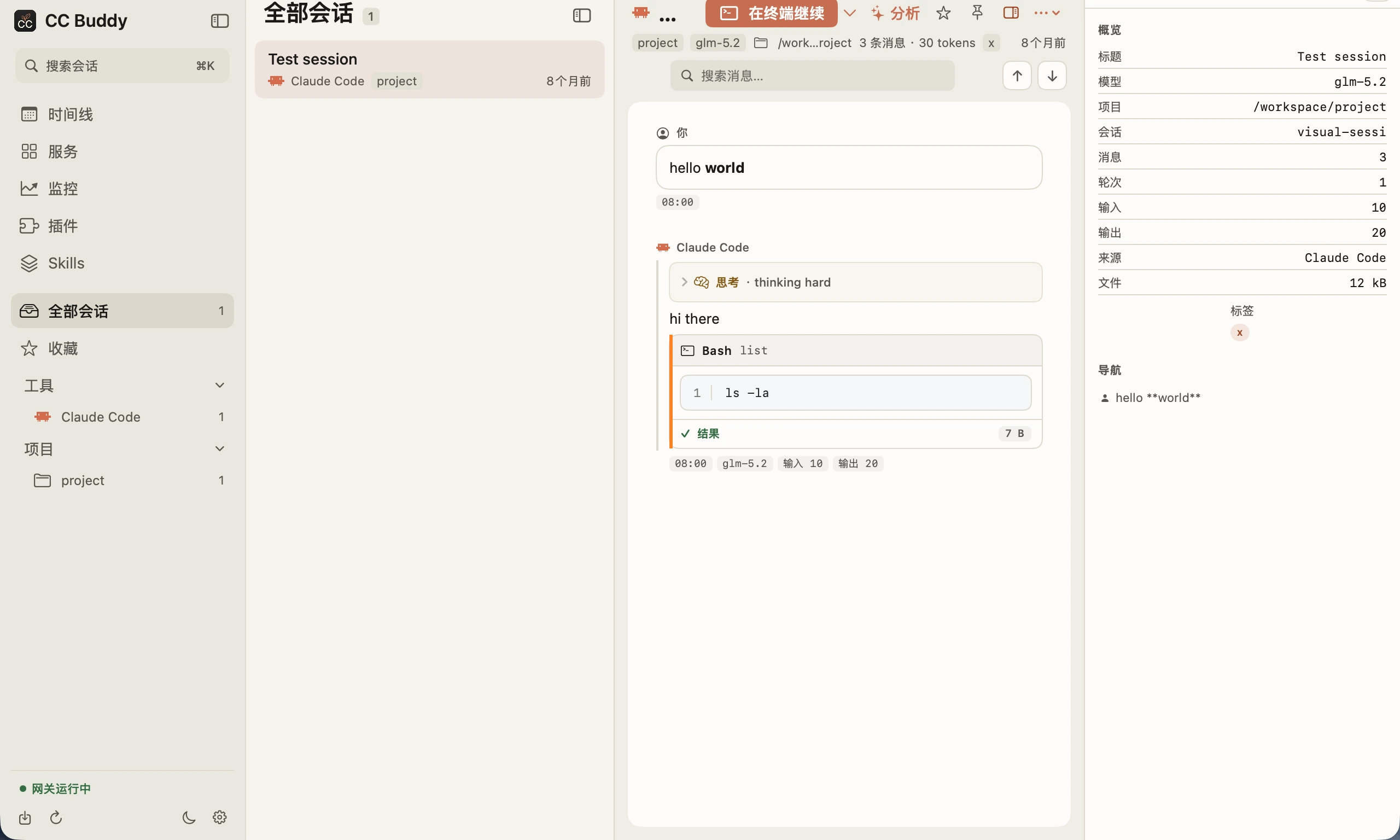
Markdown, reasoning, images, model names, token usage, and message metadata stay in sequence.
A native Mac workspace for browsing, searching, tracing, exporting, and resuming local coding-agent sessions—with one place for every Skill.
One local library for the agents you already use.
CC Buddy reads their existing local histories. Claude Code
 Codex CLI
 Qoder CLI
 Grok Build
 GitHub Copilot
 Antigravity
Sessions, reconstructed
CC Buddy turns local transcripts into a readable timeline, so the reasoning, tools, changes, and subagents behind an outcome remain inspectable.
Markdown, reasoning, images, model names, token usage, and message metadata stay in sequence.
Open tool inputs and results, patches, file changes, errors, and the handoffs between main and subagent threads.
Project, branch, agent, model, time, and token context travel with the session instead of disappearing in terminal scrollback.
A working archive
History becomes useful when it can lead you back to the exact decision—and back into the work.
Search full session content, then narrow by agent, project, favorite, tag, or status.
Rename, pin, favorite, tag, import, move to Trash, and follow active sessions as they grow.
Export JSONL, ZIP, DB, or standalone HTML—and resume supported sessions in Terminal, iTerm, Ghostty, or Warp.
Group by directory or agent, pan through history, then jump from any point straight back to its session.
Skills workspace
Bring Skills in from Git or a local folder, inspect their files, organize them, update them, and publish the right set to every tool you use.
Keep Git and local sources visible, with upstream update status attached.
Search, filter, label, preview files, and apply changes to more than one Skill.
Use auto, symlink, or copy mode. Conflicts are surfaced before anything is replaced.
A companion, when you need it
Switch providers, bridge API shapes, restore CLI configuration, and inspect requests—without making the gateway the center of everything else.
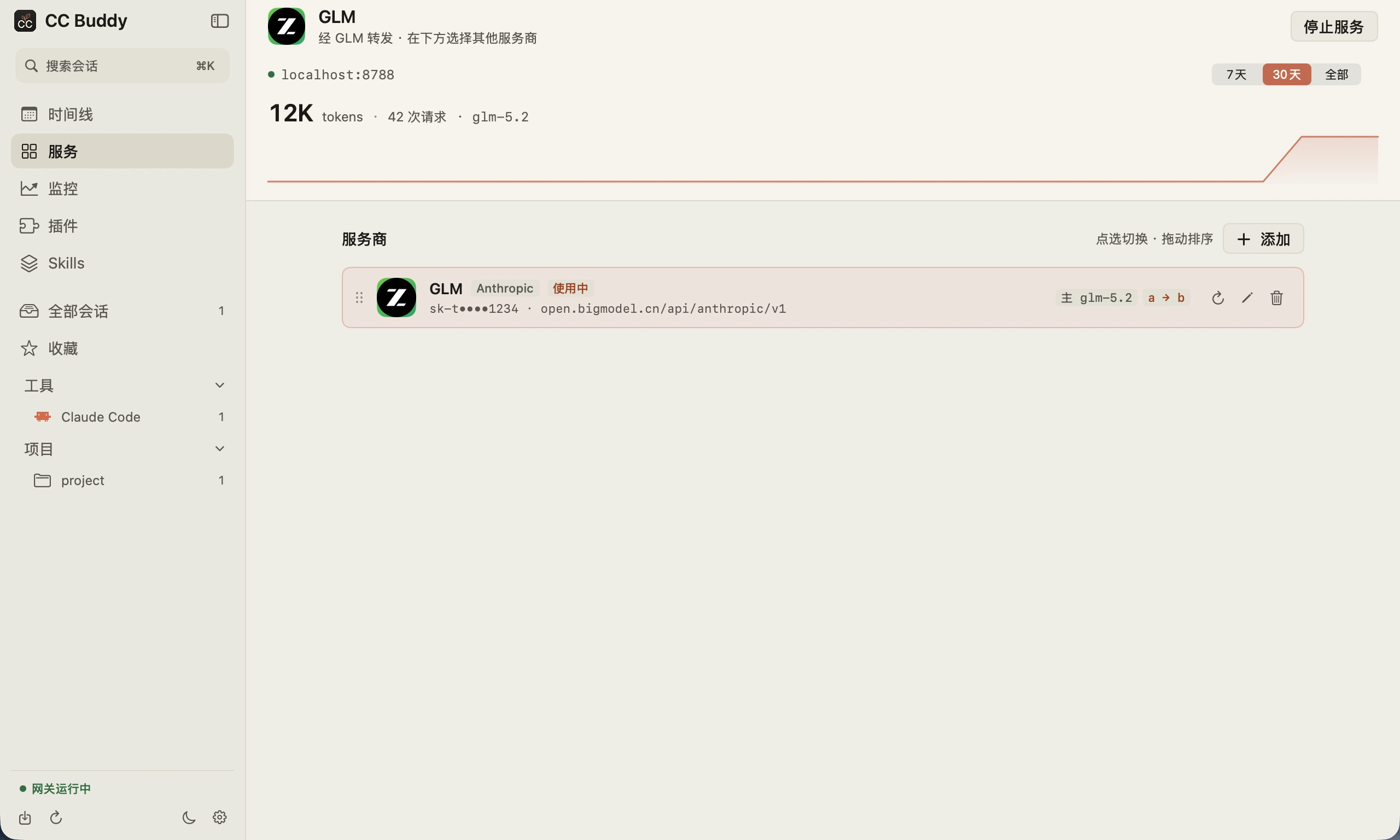
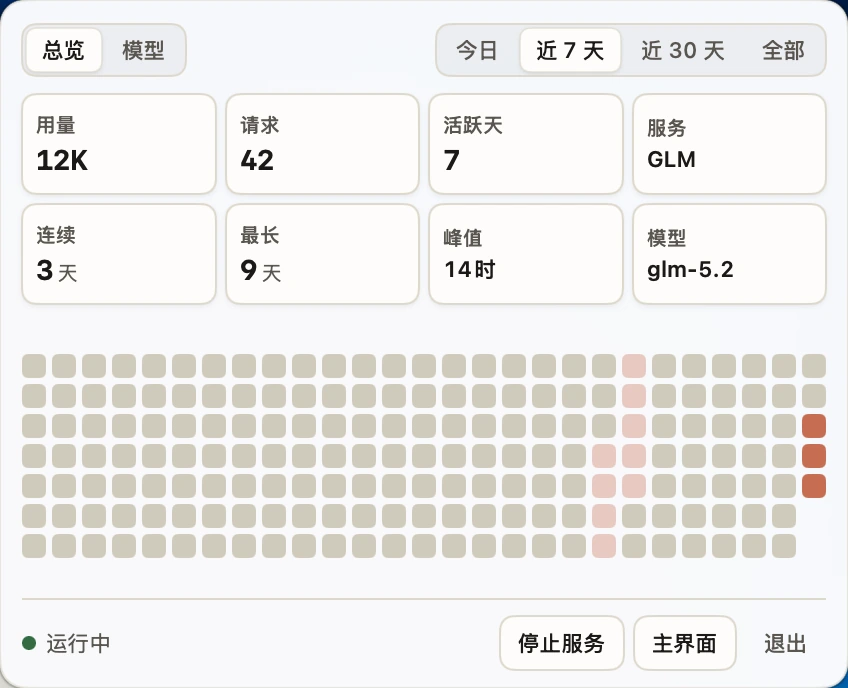
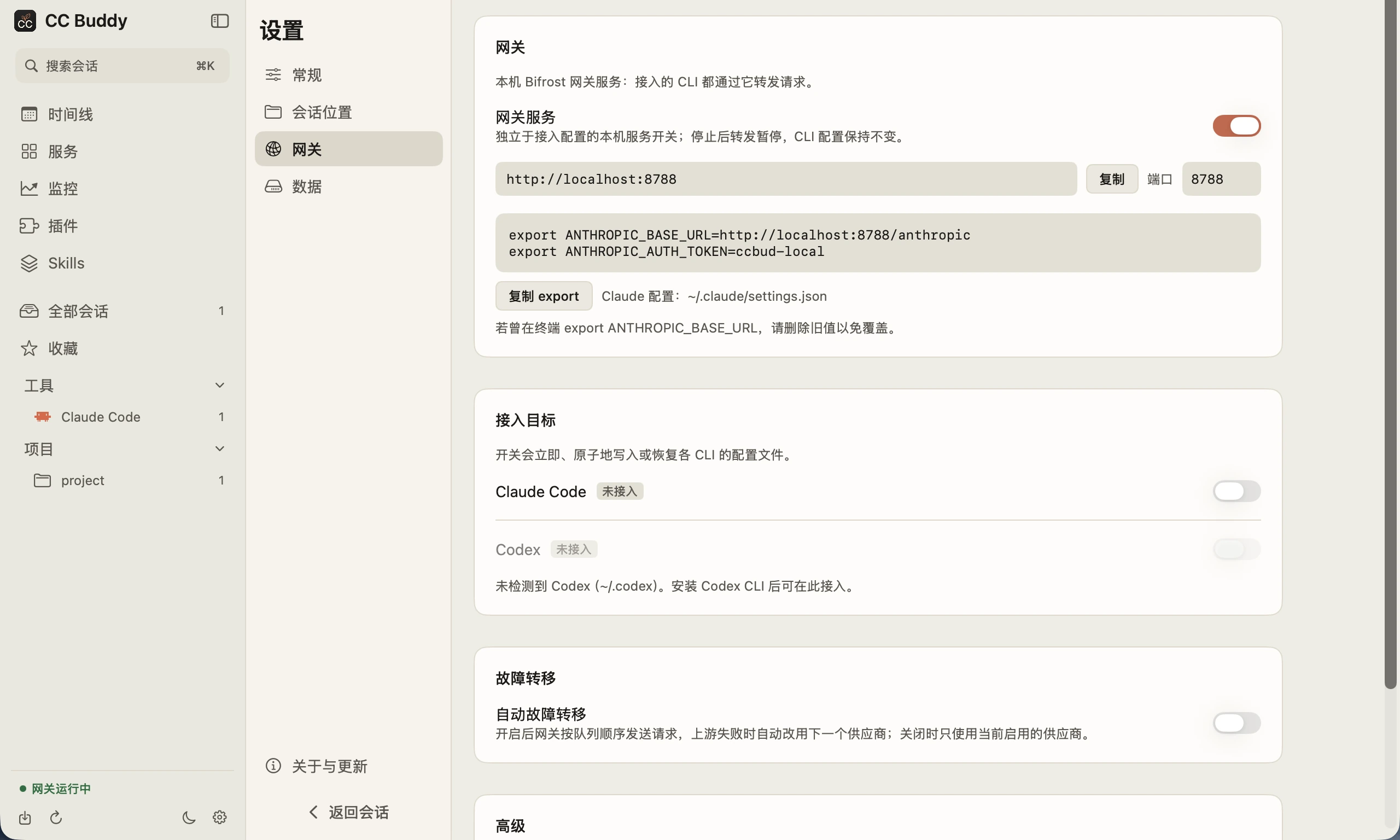
Native SwiftUI views · isolated sample configuration
Start from a built-in preset, a custom endpoint, or a plugin-backed service. Test, alias, reorder, and fail over.
Anthropic Messages, OpenAI Chat Completions, and OpenAI Responses can pass through or translate as needed.
Connect Claude Code or Codex, restore the original configuration later, and monitor normalized and upstream traffic.
Local by design
CC Buddy works with the session files and settings already on your machine. You choose the folders, services, and connections it manages.
Conversation discovery, indexing, organization, and exports happen against local files you configure.
The local gateway listens on 127.0.0.1. Inference requests still go to the upstream provider you select.
GPL-3.0 source, redacted secrets in monitoring, and a Developer ID signed and Apple-notarized macOS release.
CC Buddy 2.0.5 for macOS
One universal build for Apple Silicon and Intel. Requires macOS 13 Ventura or later.
brew install --cask ccbud/tap/ccbud